
Almost every answer to how to program the Airbus MCDU stops at the gate. Here is the whole box instead, gate to gate. On the ground, the pages want this order: INIT A, F-PLN, RAD NAV, INIT B, PERF TAKEOFF. City pair first because nothing else can be computed without it, then the route, then the navaids, then the weights, then the numbers that fall out of the weights.
In the air the order stops being a sequence and becomes a rhythm: PROG to see where you actually are, PERF CLB / CRZ / DES as the FMGS walks itself through the phases, DIR TO when ATC cuts a corner for you, SEC F-PLN when they change the plan entirely, and PERF APPR before top of descent, which is the one page in the box that will refuse to let you ignore it.
Two things before you start typing, both of which will save you an hour. First, your Airbus may not have an MCDU at all. The A350 and the A380 threw the box away, the A330 has three of them, and the A220 is not running an Airbus FMS in the first place.
Second, a good chunk of what a generic Airbus MCDU tutorial teaches you is INOP in your specific addon. At the time of writing, FlyByWire's own documentation lists OFFSET, CONSTANT MACH and CO RTE as inoperative and STEP ALTS as not fully implemented, while Fenix ships OFFSET and RTA. Those are build states, not permanent facts about the aircraft, and they move. Learning a page your aircraft does not simulate is a specific and avoidable kind of frustrating. Both of those get their own section below.
First, check your Airbus actually has an MCDU
There are three different answers across the range, and which one you get depends on how new the airframe is. Every tutorial assumes the first one.
The classic MCDU fleet
If you are flying the A320 family, the box is exactly where you expect it: a keyboard-and-screen unit on the pedestal, one per pilot, with line select keys (LSKs) running down each side, labelled 1L through 6L and 1R through 6R. That is the MCDU, your interface to the FMGC. FlyByWire's briefing documents the full key set as INIT, F-PLN, RAD NAV, PERF, PROG, FUEL PRED, DIR TO, SEC F-PLN, DATA, MCDU MENU and ATC COMM, plus a messages system. Everything in this guide lives behind one of those keys.
The iniBuilds A320neo is the default airliner shipping with MSFS 2024, so for a lot of people it is the first Airbus MCDU they ever touch. The FlyByWire A32NX and the Fenix A320 sit alongside it on the same airframe with deeper systems.
Move up to the A330 and the layout is familiar but the count changes: per Honeywell's own Pegasus FMS technical summary, the A330 configuration is similar to the A320 with the addition of a third MCDU. Same pages, one more box on the pedestal. If you fly the A330-900neo, that is what the extra unit is.
The A310 and A340 generation are the same lineage: standalone control units, keypad entry, scratchpad-and-allocate.

Where is the MCDU on the A350 and A380?
Here is the answer to the question that sends people searching: the A350 and the A380 do not have an MCDU. Airbus split the job in two. The pages moved onto a larger multifunction display (MFD), and the input device became a keyboard and cursor control unit (KCCU): a keyboard plus a trackball driving a cursor, rather than a screen with line select keys down its edges.
The reason is architectural, not cosmetic. On earlier generations the MCDU is a standalone box and its keypad can only change its own screen. On the A350 the systems are integrated, so the KCCU is what you need to interface with all of it, and a KCCU can drive information on every screen including the OIS. The data entry philosophy changes with it: classic MCDU entry is "type it in the scratchpad, then allocate it to a field", while the KCCU moves the cursor to the next logical position when you press ENT.
The iniBuilds A350 models two identical KCCUs on the pedestal, one driving the captain's FMS and ND and one driving the first officer's, used to call up FMS pages on the MFD and to enter and modify data on them. You can see the terminology change in our checklist for it: the FMS Setup phase runs ACTIVE / INIT, then ACTIVE / INIT - DEPARTURE for the runway and SID, then TMPY F-PLN to insert the change, then ACTIVE / INIT - FUEL and LOAD for ZFW, ZFWCG, BLOCK and PAX NBR. The word MCDU never appears.
Two details from that flow are worth stealing even if you never fly the A350: on the FUEL and LOAD page, clicking a field and pressing ENT on the KCCU auto-inserts the value from the OIS loadsheet, and takeoff performance is computed in the OIS T.O PERF application and then pushed across with SEND TO FMGS. Runway condition has to be selected by hand there; it is not imported from the METAR.
The FlyByWire A380X does the same thing under the name MFD/FMS, and adds a detail worth knowing: the left and right MFD can be operated independently, with different pages open on each. It also models an OIT (Onboard Information Terminal) between the EFB and the PFD, which FlyByWire documented as INOP at initial release. Our A380X checklist reflects the naming throughout: FMS POSITION/IRS for the alignment check, FMS POSITION/NAVAIDS for the tuning check, FMS ACTIVE/PERF for takeoff data, and an OIS T.O PERF application for the speeds. No MCDU pages anywhere.

The odd one out: the A220
The A220 is an Airbus by badge and a Bombardier CSeries by avionics. It kept Collins Pro Line Fusion, the display architecture and the FMS workflow that came with it, rather than adopting the Airbus standard. The flight deck is five 15.1 inch interchangeable displays and the FMS lives inside those displays rather than in a dedicated control unit on the pedestal.
Practically: if you go looking for INIT A on the A220, you will not find it, and none of the LSK positions in this guide apply. Our A220 checklist calls its phase FMS Setup and uses Pro Line Fusion language for exactly that reason.
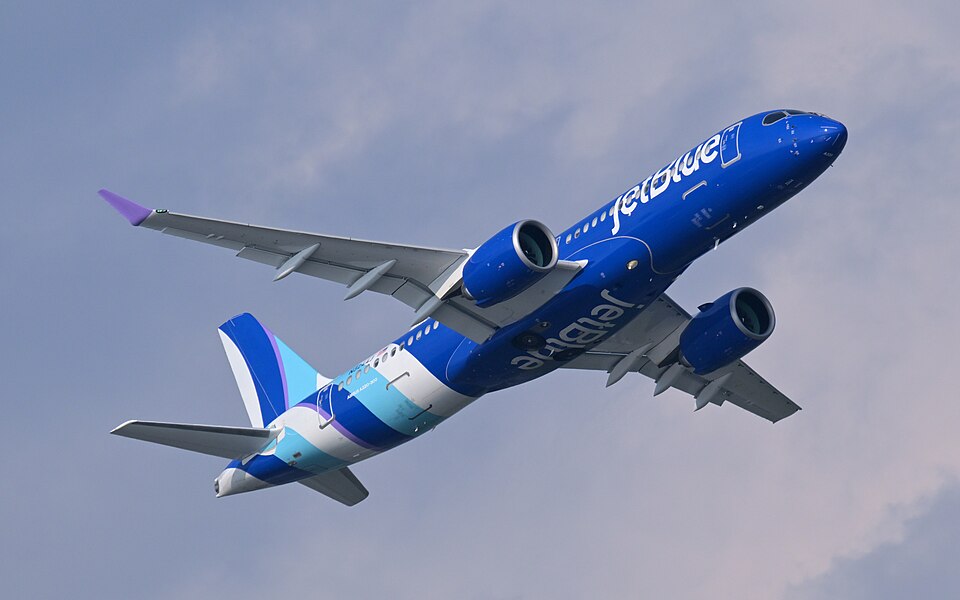
Which box to look for, by aircraft
| Aircraft | Interface | On the pedestal | Checklists |
|---|---|---|---|
| A320 family (A318 to A321, ceo and neo) | Classic MCDU | One unit per pilot | A320neo, A32NX, Fenix A320, Fenix A321 |
| A330 / A330neo | Classic MCDU | Three units rather than two | A330-900neo |
| A310 / A340 generation | Classic MCDU | Standalone control units, same scratchpad-and-allocate principle | A310, A340-600 |
| A350 | No MCDU. MFD pages driven by a KCCU trackball and keyboard | Two KCCUs | iniBuilds A350 |
| A380 | No MCDU. MFD/FMS, plus an OIT | Independently operable left and right displays | FlyByWire A380X |
| A220 | Not an Airbus FMS at all. Collins Pro Line Fusion | No control unit; the FMS is hosted in the displays | A220 |
Everything below applies directly to the A320 family.
Airbus MCDU pages explained: what each key is actually for
The rest of this guide is the A320-family MCDU, because that is the interface most people mean and the one the A330 shares. Positions below are FlyByWire's documented layout for the A32NX.
INIT A: the city pair page, and the IRS prompt hiding at 3R
INIT A is the first page because the FMGC cannot compute anything without a departure and a destination.
| Left column | Right column |
|---|---|
CO RTE at 1L | FROM/TO at 1R |
ALTN/CO RTE at 2L | INIT REQUEST at 2R |
FLIGHT NUMBER at 3L | IRS INIT at 3R |
COST INDEX at 5L | WIND/TEMP at 5R |
CRZ FL/TEMP at 6L | TROPO at 6R |
TROPO defaults to 36,090 ft, and you almost never touch it.
Two things people miss on this page. IRS INIT at 3R is a full page hiding behind a single line select key, and it is where you confirm the position the inertial platforms are aligning to. It is not decoration. And CO RTE at 1L is, as of writing, "not available or INOP" in the A32NX per FlyByWire's own documentation, which is why typing a company route into a free addon and getting nothing is not you doing it wrong. Check the docs before you assume that is still true.
F-PLN: left key is lateral, right key is vertical
This is the single most useful thing to understand about the whole box, and it is a two-line rule.
Press the left LSK next to a waypoint and you get a lateral revision. Press the right LSK next to the same waypoint and you get a vertical revision. Same waypoint, different half of the problem.
Lateral revision offers DEPARTURE at 1L, FIX INFO at 1R, OFFSET at 2L, LL XING/INCR/NO at 2R, HOLD at 3L, NEXT WPT at 3R, ENABLE ALTN at 4L, NEW DEST at 4R, ALTN at 5L, and AIRWAYS at 5R, which will string up to five airways in one go.
Vertical revision offers CLB/DES SPD LIM at 2L, RTA at 2R, SPD CSTR at 3L, ALT CSTR at 3R, the CONSTANT MACH segment start and end at 4L and 4R (the end point is cruise waypoints only), QNH at 4L on the destination instead, WIND at 5L, and STEP ALTS at 5R.
Three details that matter in flight:
ALT CSTRtakes a sign. A leading "+" means at or above, "-" means at or below. Get the sign wrong and the FMGC builds a profile that is legal-looking and wrong.WINDentries are always true-referenced. Not magnetic. This catches people who read the wind off an ATIS and type it straight in.STEP ALTSaccepts up to four geographic steps plus one optimum step.
Constraint colour tells you whether the profile actually works. A magenta asterisk means the FMGC predicts you will make the constraint (altitude within 250 ft, speed not more than 10 kt above it). An amber asterisk means it predicts a miss. Amber asterisks on a descent constraint at top of descent are a warning you are about to get high, and they appear early enough to do something about it.
One mechanical difference worth knowing: revisions made through the LAT REV pages create a temporary flight plan that you have to insert, while additions made directly on the F-PLN page do not. And both NEXT WPT and NEW DEST create a discontinuity, so if you use either, walk the plan afterwards.
RAD NAV
The navaid tuning page. The FMGC auto-tunes, and RAD NAV is where you verify what it picked and where you force the ILS for the approach you were actually given rather than the one you loaded at the gate. On the A32NX checklist it appears twice on purpose: once in the ground setup and again during descent prep, because the tuning that was right at the gate is not necessarily right two hours later.
INIT B: the page that disappears
INIT B holds the weights and the fuel.
| Left column | Right column |
|---|---|
TAXI at 1L | ZFW/ZFWCG at 1R |
TRIP/TIME at 2L | BLOCK at 2R (mandatory) |
RTE RSV/% at 3L | FUEL PLANNING at 3R |
ALTN/TIME at 4L | TOW/LW at 4R |
FINAL/TIME at 5L | TRIP WIND at 5R |
MIN DEST FOB at 6L | EXTRA/TIME at 6R |
Now the part that catches everybody exactly once: INIT B automatically switches to FUEL PRED at the start of the first engine, and is not accessible again. There is no key for it, no way back. If you started an engine before entering the block fuel, you did not break anything, but you have to finish the job on FUEL PRED instead.
ZFWCG is the entry with the longest blast radius: it sets your takeoff trim and it feeds every prediction the FMGC makes afterwards. If you are flying without a loadsheet, work it out in the weight and balance calculator rather than guessing a plausible-looking number, because a plausible-looking wrong number is exactly the one the aircraft will accept without complaint.
FUEL PRED: INIT B's replacement
Same data, in-flight layout:
ZFW/ZFWCGmoves to3R, and can still be modified after engine startFOBat4RGW/CGat5R, updating continuouslyMIN DEST FOBat6LEXTRA/TIMEat6R
Before engine start every field shows dashes, which is normal and not a bug.
The number to watch is EFOB against MIN DEST FOB: when estimated fuel over destination drops below your minimum, EFOB turns amber. That is the box telling you the plan no longer closes. If you want to sanity-check a diversion or reserve figure before you commit, the fuel calculator does the arithmetic without you having to trust a number the FMGC derived from data you may have typed wrong.
PERF: one sub-page per flight phase
The FMGS runs eight phases: PREFLIGHT, TAKEOFF, CLIMB, CRUISE, DESCENT, APPROACH, GO-AROUND and DONE. Every phase except PREFLIGHT and DONE has its own PERF sub-page, and those two both display the takeoff page. Move between them with PREV PHASE at 6L and NEXT PHASE at 6R.
The behaviour that surprises people: the pages for completed phases become unavailable. Once you are in cruise, the climb page is gone. This is not a bug and there is no way to browse backwards through it.
PERF TAKEOFF:
V1,VRandV2at1L,2Land3L, shown in amber until you enter them.V2is required for SRS, so an emptyV2is not a cosmetic omission.TRANS ALTat4L.THR RED / ACCat5L, which defaults to 1,500 ft above runway elevation for both, with a minimum of 400 ft.FLAPS/THSat3R.FLX TO TEMPat4Rcan only be entered during the preflight phase, so a FLEX change is not something you talk yourself into once the phase has moved on.ENG OUT ACCat5Ris display only.
PERF CLB, CRZ and DES share a layout: ACT MODE at 1L, CI at 2L, MANAGED at 3L, PRESEL or SELECTED speed at 4L, EXPEDITE at 5L, PRED TO at 2R. CRZ adds two: DES CABIN RATE at 4R and STEP ALTS at 5R.
PERF APPR gets its own section below, because it has mandatory fields.
PROG, DIR TO, SEC F-PLN and DATA
PROG- the situational awareness page: cruise level, optimum and maximum altitudes, bearing and distance to a point of your choosing, and GPS status. Full detail in the cruise section below.DIR TO- gets a dedicated top-level key rather than living behind a revision page, which tells you how often real crews use it. Mechanics in the cruise section below.SEC F-PLN- the secondary flight plan: a complete second plan you build in advance and swap in. Our A380X checklist states the use cases plainly, and they are the same on the A320: it is used to anticipate a runway change, an immediate return, or an emergency landing at the nearest airport. It also carries the discipline that goes with it, which is to make sure any old secondary plans are deleted before you depart.DATA- holds the navigation database, stored routes, stored waypoints and navaids, and the position monitor.
On the ground: A320 MCDU setup step by step
Compressed, because the switch-by-switch version already exists. If you want the full cold and dark walkthrough with the SimBrief INIT REQUEST detail, the IRS alignment timing and the entry gotchas spelled out, read our FlyByWire A32NX startup and MCDU setup guide and come back here for the in-flight half.
INIT A- city pair at1R, alternate, flight number, cost index, cruise FL and temperature. Check the IRS at3Rwhile you are here.F-PLN- runway, SID and transition, then the airways and waypoints against the OFP, then the expected STAR and approach. Clear the discontinuities before you leave the gate.RAD NAV- verify what the FMGC auto-tuned, set the ILS for the planned approach.INIT B-ZFWandZFWCGat1R, block at2R. Before the first engine start, because the page will not be there afterwards.PERF TAKEOFF-V1,VR,V2, FLEX temp or TOGA, THS, flap CONF, then confirmTHR REDandACCmake sense for the terrain you are climbing over.
That is the same order our A32NX checklist runs across its FMGC / MCDU Setup phase, and near enough the same order the Fenix A320 and A320neo checklists use, because it is the order the pages depend on each other in. The figures for steps 1, 4 and 5 all come off the OFP, so if you would rather read them once than dig through the plan three times, pull them up in the SimBrief OFP preview tool before you sit down.
In the air: the half nobody teaches
Most tutorials end at PERF TAKEOFF, and this is the half that actually decides whether the flight goes well. The change once you are airborne is that you stop driving the box and start keeping up with it: you never tell the FMGS you are climbing, it works that out and walks itself through TAKEOFF, CLIMB, CRUISE, DESCENT and APPROACH, swapping the PERF page under you as it goes. That is why the completed-phase rule bites in the air and not on the ground. If you meant to check something on the climb page, check it in the climb.
Cruise: OPT versus REC MAX, and step climbs
PROG is where you live in the cruise, and the two numbers on the top line get confused constantly.
OPT (the green one, at 1M) is the optimum altitude. It is computed from gross weight, cost index, temperature and wind, and it needs a minimum of 15 minutes of estimated cruise time to appear at all. It is the efficient answer.
REC MAX (the magenta one, at 1R) is the recommended maximum. It comes from gross weight and temperature only, and in normal operations it is limited to FL398. It is the ceiling, not the target.
Flying at REC MAX because it is the bigger number is a classic way to spend a sector with no speed margin. Aim for OPT and use REC MAX to know whether the step you want is even available.
The CRZ field at 1L on PROG has one rule that trips people: it cannot be set below the FCU altitude selection, and it shows dashes once you are in descent or approach.
The rest of the page:
- Bearing and distance - type a point into
4Rand4Lreads you its bearing and distance, which is the fastest way to answer "how far to the coast". It takes an ident, a lat/long, or a place/bearing/distance, so the point does not have to be in your flight plan. - GPS status -
GPS PRIMARYat5Rand the GPS accuracy fields at6L,6Mand6R(required accuracy, the HIGH or LOW estimate, and EPE) tell you whether the position you are navigating on is trustworthy.
Step climbs go in through STEP ALTS, which lives in two places: at 5R on PERF CRZ, and at 5R on the vertical revision of any cruise waypoint. It accepts up to four geographic steps plus one optimum step. Check the addon section below before you plan a flight around it.
When ATC sends you direct: DIR TO
Press DIR TO and the page comes up with an entry field at 1L and your remaining flight plan waypoints listed down the left side. Pick one off the list or type a waypoint that is not in the plan, and ERASE at 6L and DIRECT at 6R appear in amber as the confirm-or-back-out pair. Nothing happens to the active leg until you press DIRECT. In NAV mode it swaps the active leg; in HDG mode it puts you into NAV and flies the new leg.
The three options down the right side are where the A32NX stops short:
DIRECT TOat2R- the default, and the only one that works.ABEAM PTSat3R- would keep your overflown waypoints as abeam positions, prefixedAB. Documented as not yet implemented as of writing.RADIAL INat4R/RADIAL OUTat5R- for "direct ABC, intercept the 090 radial inbound" style clearances. Documented as not yet implemented as of writing.
If ATC gives you a radial intercept, you are building it as a lateral revision instead.
Rerouted? SEC F-PLN, not retyping the active plan
When the reroute is big enough that fixing the active plan waypoint by waypoint will take longer than you have, build it in SEC F-PLN and activate it. That is what the page is for. Per our A380X checklist, the standard uses are anticipating a runway change, an immediate return, and a diversion to the nearest suitable airport, all of which are things you want built before you need them rather than typed while you need them. Delete stale secondary plans before departure so you never activate last week's.
Before descent: PERF DES, and the PERF APPR fields you cannot skip
PERF DES shares the CLB/CRZ layout: ACT MODE, CI, MANAGED, PRESEL, EXPEDITE, PRED TO. What you are checking is whether the descent the FMGC has built matches the descent you are actually going to be given.
PERF APPR has mandatory fields, and the MCDU makes that visible. QNH at 1L and TEMP at 2L show as amber boxes and are mandatory within 180 NM of destination. QNH accepts either hPa (3 or 4 digits) or inHg, so you do not have to convert.
The rest of the page:
MAG WINDat3LTRANS ALTat4LVAPPat5L- BARO minimum (
MDA/MDH) at2R - RADIO minimum (
DH) at3R, 0 to 700 ft, ILS approaches only - the
CONF3landing configuration toggle at4R
The O, S, F and VLS speeds sit in the centre column.
If you want to know where your descent point should be before the FMGC tells you where it thinks it is, the descent calculator gives you the rule-of-thumb number to check the magenta one against. Our A320neo checklist hits both of these in sequence: PERF APPR for QNH, temp, wind, transition level and minimums, then the APPR page to confirm the approach and runway.
ACTIVATE APPR PHASE, and where VAPP comes from
ACTIVATE APPR PHASE replaces the PREV PHASE prompt at 6L once the phase is active. It is how you tell the FMGS to switch to approach speed management ahead of the automatic transition, which matters when you are being brought in early or held high.
And the number it gives you is not arbitrary. VAPP is computed as VLS plus one third of the headwind component, with a floor of VLS+5 and a ceiling of VLS+15. That is the whole formula. It explains why VAPP barely moves on a calm day (it sits on the +5 floor), why it stops increasing in a serious headwind (the +15 cap), and why a tailwind does not reduce it below the floor. Fenix's A321 workflow makes this explicit in our checklist: landing performance is computed on the EFB and the resulting Vapp SET ON MCDU.
What your addon actually implements
This is the difference between "I do not understand this page" and "this page does not exist in my aircraft", and the two feel identical from the seat.
Everything below is build state at the time of writing, not a permanent limitation. These are moving targets by design, and the free addon in particular ships changes constantly. Re-check the current docs before you conclude something is broken.
| Feature | FlyByWire A32NX | Fenix A320 / A321 |
|---|---|---|
OFFSET (LAT REV 2L) | "currently not available or INOP" | Ships it |
RTA (VERT REV 2R) | "currently only available on the development version" | Ships it, and computes the speed needed to make a time you enter at a waypoint |
STEP ALTS (VERT REV 5R, PERF CRZ 5R) | "currently, not fully implemented" | No primary Fenix statement either way; treat as unknown |
Both columns are build state at the time of writing, not permanent facts about the aircraft. The A32NX quotes come from FlyByWire's own documentation, linked in full below, and they move. The iniBuilds A320neo V2 is not in the table because this guide makes no OFFSET, RTA or STEP ALTS claim about it either way.
FlyByWire A32NX
As of writing, FlyByWire's own MCDU documentation for the A32NX states the following. Every one of these is a description of the current build, and the whole point of the list is that it will stop being true:
OFFSET(LAT REV2L) - "currently not available or INOP".CONSTANT MACH(VERT REV4L/4R) - "currently not available or INOP".STEP ALTS(VERT REV5RandPERF CRZ5R) - "currently, not fully implemented", and steps are "currently not considered in the flight planning".RTA(VERT REV2R) - "currently only available on the development version".CO RTE(INIT A1L) - "currently, not available or INOP".ABEAM PTSandRADIAL IN/RADIAL OUT(DIR TO3R,4R,5R) - "Not Yet Implemented".
The docs also note that the A32NX currently has one mirrored MCDU, with a split into two independent units planned. If you have been trying to work a different page on each side, that is why it will not.
None of this is a criticism of a free aircraft that models more systems than most payware. It is just the difference between a tutorial and your cockpit. The pages you can rely on are the ones this guide spends its time on: INIT A, F-PLN, RAD NAV, INIT B / FUEL PRED, PERF and PROG. Check the docs above yourself before planning a flight around anything else.
Fenix A320 and A321
The Fenix A320 is the other end of the scale. It ships OFFSET, RTA and ETP. On RTA, Fenix's implementation lets you enter a time you want to arrive at a specific waypoint and the aircraft computes the speed needed to meet it, which is the real function rather than a placeholder. ETP (equal time point) is implemented too.
The honest caveat: we could not find a primary Fenix statement either confirming or ruling out STEP ALTS. What circulates is generic Airbus FCOM language quoted as though it were a Fenix feature claim. Treat that one page as unknown until you have tried it, not as confirmed by this post. The Fenix A321 adds an INIT A REQUEST present-position verification step and an EFB-computed landing performance handoff into the MCDU, both of which are in our checklist for it.
iniBuilds A320neo V2
Being the free default makes the A320neo the most-flown Airbus MCDU in the sim by a distance, and the one most people learn the box on. Our checklist for it deliberately carries the MCDU past the setup phase: MCDU PROG and MCDU PERF CRZ sit in the Cruise phase, and MCDU PERF APPR and the MCDU APPR page sit in Descent Preparation. If you have only ever used the box on the ground, that is the shape of the habit worth building.
The mistakes that cost you the flight
- Entering weights after engine start.
INIT Bis replaced byFUEL PREDat first engine start and cannot be recalled. Finish the page before you start. - Leaving
V2empty.V2is required for SRS. The amber boxes are not a suggestion. - Treating amber constraint asterisks as decoration. Amber means the FMGC predicts you will miss the constraint, by more than 250 ft in the case of altitude. Magenta means it predicts compliance.
- Getting the
ALT CSTRsign backwards. "+" is at or above, "-" is at or below. - Typing a magnetic wind into a
WINDfield.F-PLNwind entries are always true-referenced. - Chasing
REC MAXinstead ofOPT.REC MAXcomes from weight and temperature only and is limited to FL398 in normal ops. It is a ceiling. - Setting
PROGCRZbelow the FCU altitude. It will not accept it. - Arriving inside 180 NM with
PERF APPRuntouched.QNHandTEMPare mandatory there and will sit as amber boxes until you deal with them. - Leaving the FLEX decision late.
FLX TO TEMPcan only be entered during the preflight phase. - Expecting to browse back to a completed phase's
PERFpage. It is gone. - Adding
NEXT WPTorNEW DESTand not walking the plan afterwards. Both create discontinuities. - Learning a page your addon does not simulate. See the section above, and check the current docs rather than a video from two years ago.
Fly it with the checklist
Reading page layouts is not the same as programming one under time pressure. The FlyByWire A32NX checklist runs 19 phases and 187 steps and includes the MCDU flow inline where it belongs, with RAD NAV and PERF APPR reappearing in descent prep rather than being taught once and forgotten. The Fenix A320 checklist covers 17 phases and 227 steps of the same airframe at a higher fidelity.
If you have gone the other way and want to see how the same job is done without an MCDU at all, the iniBuilds A350 checklist walks the KCCU and MFD flow across 19 phases and 209 steps, and the A380X checklist does it in 20 phases and 315 steps.
Start with INIT A, finish PERF APPR before top of descent, and check what your aircraft actually implements before you plan a flight around a page.